Crying, coughing and chatter
On-device AI recognises the sounds that matter and ignores the fan, the traffic and the dog.
The badge shows what each feature needs: nothing, a free account, or a plan.
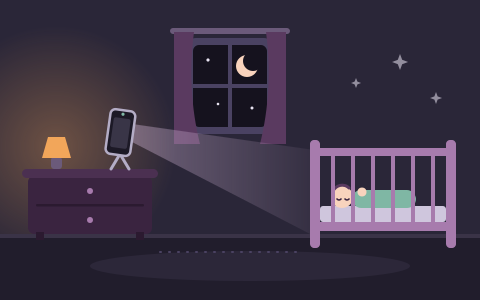
For someone who sleeps or rests there: a baby, a child, or anyone who needs an eye kept on them.
On-device AI recognises the sounds that matter and ignores the fan, the traffic and the dog.
The camera measures movement over time, so a long stretch of stillness or restlessness shows up in the timeline.
A calm alert when the monitor unit’s camera sees movement that goes on for a couple of seconds. Choose Low, Medium or High sensitivity.
While the monitor unit plays music, MeiMei compares what is playing with what the microphone hears and uses its own echo cancellation, so the music itself should not set off a loud-noise alert.
If someone picks up or moves the monitor unit, you hear about it straight away. On a phone or tablet.
Encrypted notifications reach your phone with the screen off, and your browser in the background or with MeiMei closed. Switch them on in Settings, under Alerts.
Create your family's own bot in Telegram and paste its token in MeiMei: the monitor unit then sends urgent alerts there, or urgent and important ones, as short text lines, to up to five chats, such as you and a family group. Text only, never pictures or sound.
When an urgent alert goes unanswered, MeiMei rings the number you set for about 10 seconds and hangs up: you don't need to answer. Save the “MeiMei Alarm” contact and the call rings through silent mode and Do Not Disturb.
Look in and listen whenever you want, and speak into the room through the monitor unit.
Watch and listen at the same time or one at a time. Pictures of several monitor units sit side by side, and full screen keeps a second picture in a small box you can move. The screen names the camera in use.
Close MeiMei and open it again: it reconnects by itself, and “While you were away” lists what happened meanwhile, the most urgent first.
A laptop with a built-in camera can watch, and any computer can be the viewer screen. Installing is optional.
A short safety check at every session: distance from the bed and the cable out of reach. With “Set it up myself” it is asked before the start; with the recommended settings, one to two minutes after it. When no phone of your home can be asked that way, the monitor unit asks before it starts.
MeiMei is available in 15 languages, with more on the way.
50 calm songs, including classic melodies, white noise and playlists you make yourself, played on the monitor unit and chosen from your phone.
Hear on your phone what the monitor unit is playing, so you can check it without going in. It switches off by itself when you leave the Soothe tab for more than a minute.
Add your own songs, or record your voice, and play them on the monitor unit.
When someone touches the monitor unit, its dark screen shows a gentle animation. The balloons are free; with MeiMei Home, bubbles, fireflies, fish and snow join them, and a new one fades in every 2 minutes with a soft chime. You still get the touch alert.
Movement and other events worth seeing keep a short clip that starts ten seconds before. Clips are always stored on the monitor unit, never in the cloud, and kept for up to 30 nights.
Sleep, stirring and crying on one simple line, and a summary when you wake up.
Patterns across two weeks, written as plain observations, never as a judgement.
A tidy summary of recent nights, made on your device, to keep or to share as you choose.
With MeiMei Home or Away, clips, sound clips and sleep reports work in a browser too. A browser records only while its tab is open.
Three viewer devices and two monitor units in one household, and up to three extra devices of any type.
Look in from work or from the garden over mobile data, through an encrypted relay that stores nothing. One viewer device at a time can be connected from away; each extra device adds one more.
A code arrives by e-mail, and MeiMei suggests a fix if the address looks mistyped.
A short list of settings pages. A monitor unit you no longer use can be deleted.
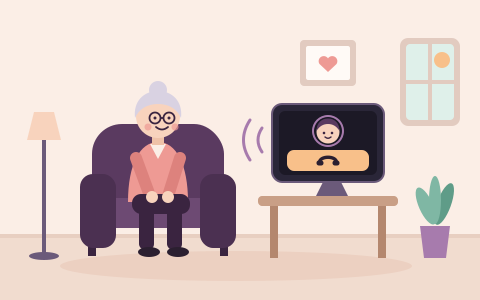
For someone at home who wants an easy way to call you, often an older relative.
Set up step by step, nothing is switched on until the person, or someone they have asked to decide for them, says yes on the screen, aloud and in writing. With the recommended settings the screen listens from the hand-over, says so aloud, and asks the person within a day.
The screen reads its questions and messages aloud in the person's language, with the voices the device has.
One large button calls a family member. Video starts only with the person's agreement, and nothing is recorded.
Family members get a short text when the screen hears a smoke alarm or a call for help. Sound and pictures leave it only in a call that the person answers or has agreed to beforehand.
For someone who wants to know when a dog or cat at home barks, howls, whines or meows for a while.
See and hear your pet at home whenever you choose to look.
MeiMei tells you when barking, howling, whining or meowing goes on for a minute. You can change the time.
Talk to your pet from your phone, or play a calming sound.
It listens for a smoke alarm and for something breaking.
It tells you if the device is moved, covered or low on battery.
How many times, and for how long. Without a plan it is shown only while the session runs.
With MeiMei Home: short clips around an alert, kept on your own device, and past days in the summary.
With MeiMei Away you can look in from outside your home Wi-Fi. Alerts arrive without it.
For a room, a door, a workshop, a garage or a holiday home that you want to look in on from your phone.
See and hear what the camera sees and hears, full screen or in a small window. Free on the same network; watching from outside it needs MeiMei Away.
Switch cameras, zoom and turn the picture, take a picture, turn on a light that goes off by itself, and talk through the camera’s speaker.
Alerts for a loud sound, something that sounds like glass breaking, or a smoke or fire alarm. You choose which alerts tell you.
An alert when something moves in the picture.
It tells you when the camera is moved, picked up or covered, or when the picture is too dark.
A status list shows battery, charger, heat, free storage and the network, and tells you when something needs a look.
With MeiMei Home or Away, a short clip with picture and sound is saved on the camera device when there is an alert.
The camera’s screen stays lit and says the camera is on. It shows when someone is watching or listening, plays a chime, and anyone there can stop it with one button.
Every way MeiMei lets you know something, on which devices, whether it works with MeiMei closed, and when it is on.
An urgent alert fills the screen and keeps sounding until someone answers “I'm going” or snoozes it. Other alerts chime once and wait in the list. Where the device allows it, the alert also vibrates, the app icon counts the open alerts, and a tab in the background shows a notification and flashes its title.
The alerts reach your browser as notifications, even when MeiMei’s tab or window is closed or the phone is locked. Each one is encrypted, so the push service that delivers it cannot read it. An urgent notification stays on screen with buttons such as “I'm going” and “Snooze 10 min”, and a repeat replaces the earlier one. A notification also tells you when a new device asks to join your home.
If a monitor unit that is watching stops reporting for about two minutes, MeiMei’s servers send one urgent “Connection lost” notification. It comes again only after the unit has reported back and gone silent again.
The monitor unit sends short text lines to your family’s own Telegram bot: urgent alerts only, or urgent and important ones, as you choose, to up to five chats, such as you and a family group. Never pictures or sound. A companion screen sends them only after the person agrees, and can add its quiet notices.
When an urgent alert goes unanswered for a minute, MeiMei rings the numbers your family set for about 10 seconds and hangs up, like a missed call: nothing is said, and you don't need to answer. Open MeiMei to see what happened. Up to three numbers, at most three times a night, five minutes apart, and never after someone has answered “I'm going”.
Urgent alerts, such as crying, the unit being touched or moved, or a smoke alarm heard in the room, keep sounding, and their notifications come back every minute for at least 10 minutes, until someone answers “I'm going” or snoozes them. Important alerts, such as waking or a loud noise, come once, and quieter events, such as falling asleep, only go on the timeline. Alerts of the same kind within two minutes become one, with a count. Quiet hours, off unless you set them, hold the less urgent alerts; urgent ones always come through. Alerts about the unit itself, such as being moved, losing its connection, its battery or a covered camera, cannot be switched off, and a smoke alarm cannot be snoozed either.
A smoke alarm is urgent at once. An alert that needs attention comes when the person did not answer “Are you all right?”. Neither can be snoozed, and both are still delivered during quiet hours. Quiet notices, such as listening paused or a setting changed, come once with no sound and follow quiet hours. If the screen has been closed for 10 minutes, one quiet notice says so. Every alert goes only to the family members the screen tells: those the person agreed to and, with the recommended settings, the family devices that were paired at the hand-over, until the person has answered.
When the person presses Call, the family members the screen tells see who is calling, with Answer and Not now. When one answers, the others stop ringing. When the call ends, a quiet note says whether it was answered or missed.
Short messages between family devices and a companion screen travel encrypted through a monitor unit, in both directions: the person on the screen can send a ready-made one without typing. A message that cannot go yet waits on the device that wrote it, for up to 7 days, and goes when the other device connects. It is never stored on MeiMei’s servers.
Each family member chooses their own alert level on their own device: all alerts, urgent and important, or urgent only. They can also pause alerts on their device for a while. The monitor keeps watching, the others are still alerted, and a smoke alarm still comes through. A device can pause only while another family device still gets the alerts.
MeiMei never sends alerts by e-mail or text message: e-mail is only for signing in. MeiMei cannot promise that every alert arrives. A notification needs the device switched on and online, and the browser allowed to show notifications, and a mode that silences notifications can hold it back. If the monitor unit loses Wi-Fi or its battery runs out, its alerts stop.
Play calm songs, playlists and white noise from your phone, listen to what is playing, and set volume and placement.
Which alerts come with a short video or a 5-second sound clip, where they are kept and how to play them.
What you need, how to set it up in a few minutes, and what to know about power, Wi-Fi and limits.