Spare phone as a camera
Setup, the controls on your phone, what it tells you, the signs everyone there can see, and the limits.
Turn a spare phone, tablet or laptop into a camera you watch and control from your phone. It also listens for loud sounds, notices when it is moved or covered, watches its own battery and tells you. Use it for a room, a door, a workshop, a garage, a 3D printer or a holiday home.
Open it on the spare device that will be the camera, not on your own phone.
Already set up the device at home? On your own device, choose Watch on this device, then scan the code shown on it.
It is the same web app, account and plans as MeiMei. The camera is one way to use a spare device.
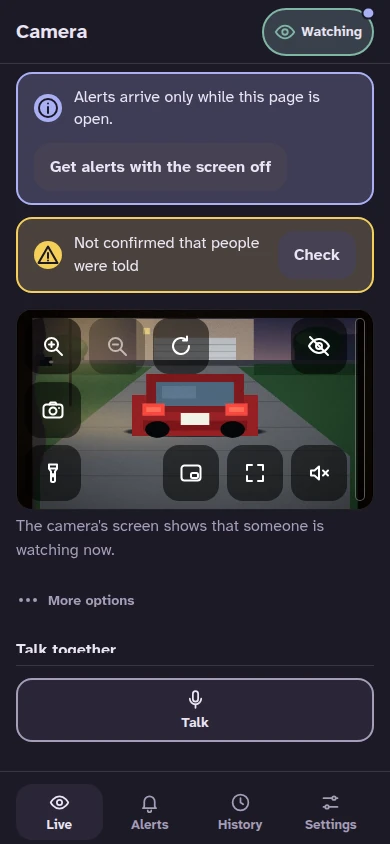
Open the camera on your phone to see and hear what it sees and hears, live. The controls sit on the picture.
The camera listens on the device itself. What it hears goes to a phone of your home only while somebody there listens live, and the camera's screen shows that someone is listening. Nothing else it hears is kept or sent, except as the alerts and clips below. You choose which alerts tell you.
A status list on your phone shows the device behind the camera, and it tells you when something needs a look.
With a plan that includes clips, a short clip with picture and sound is saved on the camera device when there is an alert, and you open it from the list of alerts. Without a plan nothing is saved. A smoke alarm is not clipped: open the live picture instead.
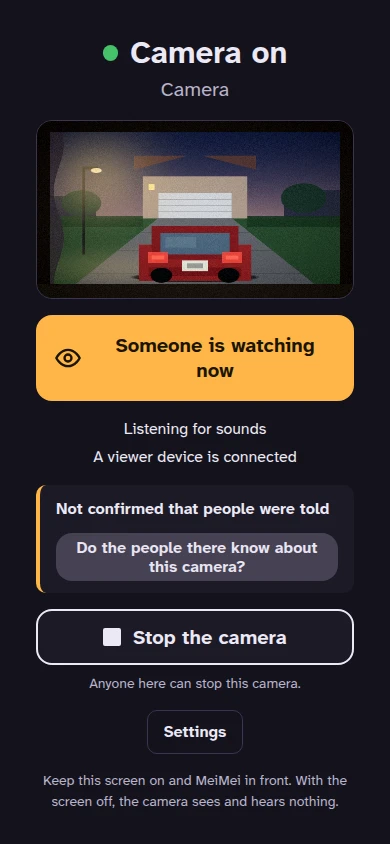
The camera's screen stays lit and says that the camera is on. It shows when someone is watching, listening or talking. It plays a short chime when it starts, when it carries on after its screen was off for more than ten seconds and, unless that is switched off on the camera itself, when someone starts watching or listening (at most once a minute for each phone). Anyone at the camera can stop it with one button, and it then stays stopped until somebody at the camera starts it again. No setting turns these signs off from your phone.
A spare phone, tablet or laptop with a camera and a microphone, a charger, and a network. Keep the screen on and MeiMei in front. With the screen off, or with MeiMei not in front, the camera sees and hears nothing, and it cannot be started from your phone. On a computer, keep the display on and do not lock it: a browser cannot always tell, and the camera may still see and hear. A camera in a browser works only while its page stays open, and it can make its sound only after somebody has tapped its page: until then it cannot be started from your phone, its chime is silent, and its screen asks for that tap.
Watching on the same network, talk, and every alert are free, with one camera. Watching from outside the camera's network, for a holiday home for example, needs MeiMei Away. Clips and past days need MeiMei Home or MeiMei Away. Phone-call alerts for urgent alerts need MeiMei Away.
A camera sees only what light reaches, and a phone has no infrared. Alerts can be wrong or late. Nobody else is told when something happens: only the phones you set up. A device that runs out of battery, loses its network or has its screen turned off cannot see or tell you.
Setup, the controls on your phone, what it tells you, the signs everyone there can see, and the limits.
What you need, the one-minute setup, where to put the device, what it tells you and what it cannot do.
The camera, microphone and alerts each need one browser permission: where to find them on every device.